Product Scan Data: How to Speak to Your Customers
Every time a customer scans a product's QR code, they generate data. Not abstract, anonymised, aggregated data, but specific, actionable, individual-level data about that customer, that product, and that moment.
Many manufacturers don't use this data at all. They collect warranty registrations into a spreadsheet and forget about them until a recall forces them to dig it out. The scan data, one of the richest sources of post-purchase customer intelligence available, sits unused.
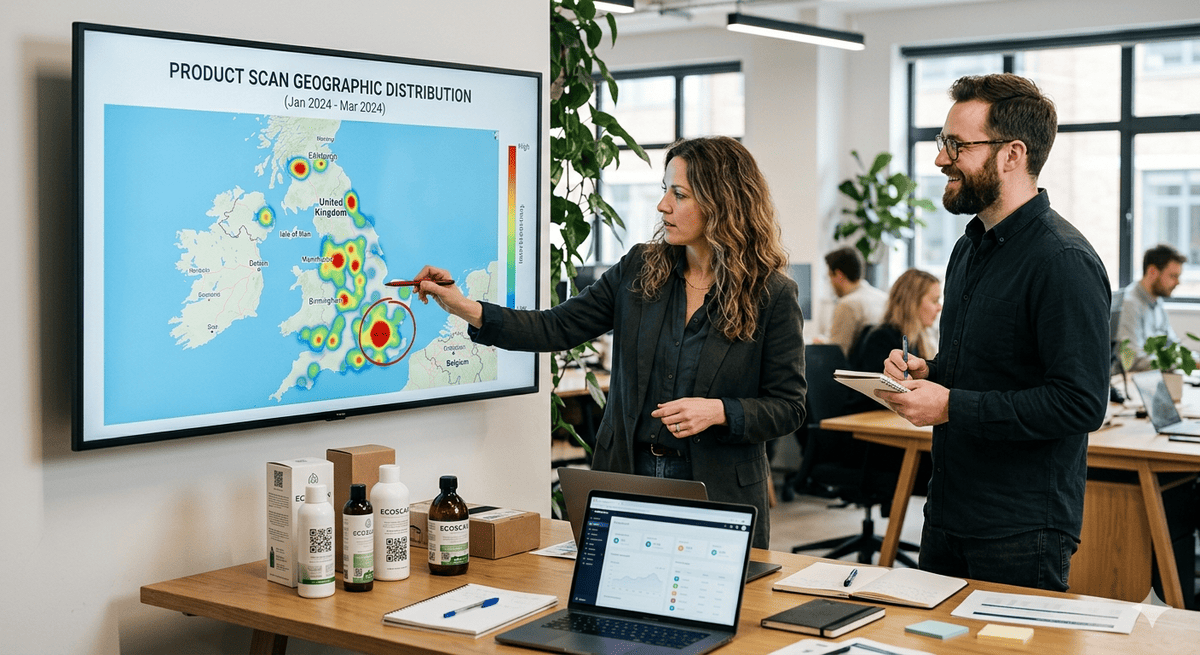
A single scan event can carry a surprising amount of context: time, device, approximate location, referrer, serial number, browser, operating system, and whether it's a repeat visit. Registered customers can be reached directly because their email was captured at registration. A meaningful share of scans come from people who never register at all, and those anonymous scans are potential customers you can still learn from in aggregate.
What a Single Scan Tells You
When a customer scans a product QR code, the platform can capture:
Identity Data
- Product serial number: which specific unit was scanned
- Registration status: is this an owner or an anonymous scanner?
- Owner profile: name, email, registration date (if registered)
- Warranty status: active, expiring soon, or expired
Contextual Data
- Timestamp: when the scan happened (time of day, day of week)
- Location: approximate geography (from IP or browser)
- Device type: iPhone, Android, tablet, desktop
- Referrer: how they got to the scan (direct QR, link, search)
- Repeat flag: first scan or returning visitor
- Session behaviour: which sections they viewed (support? parts? warranty?)
Intent Signals
A first scan in the evening at the weekend is very likely unboxing. A scan on a weekday afternoon that goes straight to the troubleshooting section is a customer with a problem. A scan that views the spare parts page but doesn't purchase is a buying signal waiting for a nudge.
The data tells you not just who scanned, but why.
How to Segment Your Scan Data
Segment 1: First-Time Registrants (Unboxing)
Who: Customers who scan for the first time and complete registration. When: Often within the first day or two of purchase. Signal: High engagement, high trust, high intent.
Communication: Welcome sequence. Setup tips for their specific model. Accessory recommendations. Warranty confirmation with clear terms. This is one of the highest-engagement moments you'll have with this customer, so don't waste it on a generic confirmation email.
Segment 2: Unregistered Scanners
Who: People who scan but don't complete registration. Signal: Interested enough to scan, but friction stopped them. Or they're browsing in-store before buying.
Communication: If they abandoned registration, the scan page should remember their progress and prompt completion on return. If they're in-store, show product highlights and comparison content. Don't push registration, earn it with value.
Segment 3: Support Seekers
Who: Registered owners who return to the scan page and navigate to troubleshooting or support. Signal: They have a problem. They're looking for help before calling you.
Communication: Surface the most relevant troubleshooting content for their model. If the AI agent can't resolve it, offer a one-tap escalation to human support with the product serial and issue context pre-filled. Follow up a couple of days later: "Did we solve the problem?"
Segment 4: Spare Parts Browsers
Who: Registered owners who view the spare parts section. Signal: They need a replacement part but haven't ordered yet.
Communication: If they viewed a specific part but didn't order, send a reminder a few days later: "Still need that [filter/blade/cover]? Order direct." Include a one-click purchase link. This is revenue you could be losing to third-party marketplaces.
Segment 5: Warranty Expiry Window
Who: Registered owners whose warranty is approaching its end date. Signal: Approaching the moment where they either renew, extend, or lose coverage.
Communication: Proactive outreach: "Your warranty expires on [date]. Based on your [product model], extended coverage costs [amount] and covers [specific scenarios]." Personalised to the product and the owner's usage pattern.
Segment 6: Second Owners
Who: People who scan a product already registered to someone else. Signal: The product was resold, gifted, or inherited. This is a new customer at zero acquisition cost.
Communication: Prompt ownership transfer. Register the new owner. Apply remaining warranty. Welcome them to the brand ecosystem. Every second owner is a potential spare parts customer, accessory buyer, and future new-product purchaser.
Privacy: The Consent Layer
All of this data is powerful precisely because it's specific. That means it's personal data under GDPR and UK GDPR, and it must be handled correctly.
BrandedMark's approach:
- The manufacturer is the data controller. BrandedMark is the processor.
- Consent is captured at registration (clear, specific, freely given).
- Communication preferences are set by the customer.
- Data is deletable on request (right to erasure).
- No data is sold to third parties. Ever.
- The Data Processing Agreement governs all processing.
The scan data belongs to the manufacturer's relationship with the customer, not to the platform vendor. This is a critical distinction.
For more on data ownership, see who owns your product data.
From Data to Conversation
The difference between data-driven communication and spam is relevance. A customer who scanned their pressure washer's QR code and viewed the nozzle replacement page doesn't want a newsletter about your brand story. They want to know that the compatible nozzle is in stock, what it costs, and when it ships.
That's the power of scan data: it tells you what each individual customer needs at the exact moment they need it. The infrastructure to act on that data, including triggered emails, product-specific AI support, and personalised commerce, is what turns a QR code from a link into a relationship.
Every scan is a customer telling you something. The question is whether you're listening.
Frequently Asked Questions
What data does a product QR scan actually capture?
A scan can capture details such as the product serial number, timestamp, device type and OS, approximate location (IP-based), referrer source, browser language, registration status, repeat visit flag, and session behaviour (which pages were viewed). When combined with registration data (name, email, purchase date), this creates a fuller picture of who is using the product and what they need.
Is collecting scan data GDPR-compliant?
It can be, when handled correctly. As the data controller, you choose and document the appropriate lawful basis for your specific use case, and you should take independent legal advice on that choice rather than rely on a single default. In practice the BrandedMark setup is built to support compliant processing: BrandedMark acts as a data processor, the manufacturer controls the data, consent is captured at registration, preferences are respected, and data is deletable on request. See our DPA and privacy policy for details.
How should I turn scan analytics into action?
Reporting on scan rates and campaign performance is useful, but the real value comes from acting on the signal. BrandedMark combines scan analytics with product-specific AI, lifecycle communication, and direct commerce, so the data drives a next step rather than sitting in a dashboard.
BrandedMark turns every product scan into actionable customer intelligence: segmented, privacy-compliant, and connected to communication, support, and commerce. Learn more at brandedmark.com.