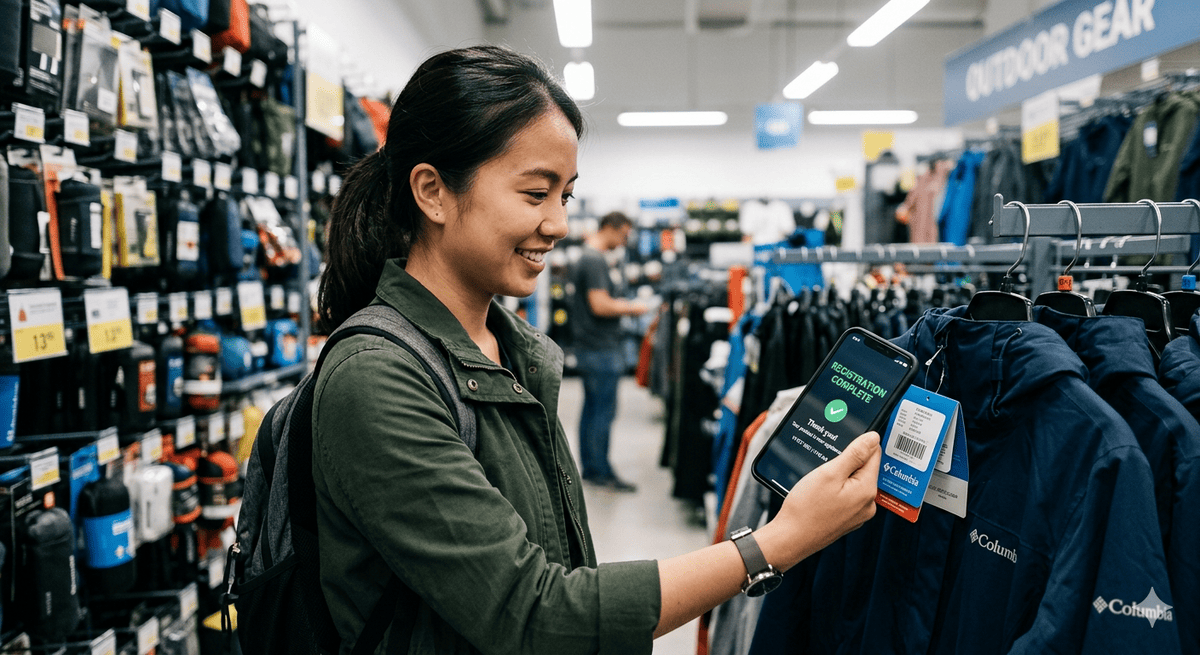
From QR Scan to Customer: The 10-Second Registration
The traditional product registration form asks you for your name, address, purchase date, retailer name, model number, serial number, and sometimes your phone number, before rewarding you with a generic "thank you for registering" email you never open. Every extra field, page load, and second of wait is one more reason to abandon it. Most consumers never get to the end: only about 6% of consumers say they always register a product they buy, according to 2015 research from the University of Michigan.
BrandedMark is built to take the friction out. The design goal is a registration that happens in seconds, at the moment the box opens, with the fewest possible fields. When registration is tied to something the customer actually wants, the picture changes sharply: the same University of Michigan research from 2015 found consumers are 87% more likely to register when registration is required to activate the warranty.
That gap is not a minor operational improvement. It is the difference between knowing almost none of your customers and knowing most of them, with verified product data, accurate warranty start dates, and a direct communication channel you own outright. This article walks through exactly what happens in those 10 seconds, step by step, so you can see the whole BrandedMark value proposition as a single, coherent customer journey.
The Moment the Box Opens
Every durable product ships with a QR code in the box: printed on the quick-start card, embossed on the product label, or applied directly to the unit. With BrandedMark, that QR code is not a generic URL. It is a GS1 Digital Link, an industry-standard way to turn a product's GTIN (Global Trade Item Number) into a web link. The standard's primary key is the GTIN; we configure it to also carry a unique serial number (GS1 application identifier 21), so each individual unit resolves to its own record.
That distinction matters. A generic QR code points every customer to the same product page. A GS1 Digital Link resolves to a page that already knows which unit the customer is holding. Before they have typed a single character, the system knows the exact model, the manufacturing batch, the configured warranty period, and the applicable jurisdiction rules. The customer just has to confirm who they are.
Second-by-Second: What Actually Happens
The table below maps the entire registration journey from camera open to confirmation: what the customer sees, and what is happening in the background at each stage. The timings are a design target for a typical mobile connection, not a guaranteed result on every device.
| Time | Customer Experience | Background Events |
|---|---|---|
| 0s | Opens native camera app, points at QR code on product | (camera scan) |
| 1s | Camera recognises the QR code, taps the notification | GS1 Digital Link resolver routes the URL; serial number extracted from the link |
| 2s | Branded product page loads in the browser: product name, hero image, brand colours | BrandedMark resolves the serial to the exact product record; loads the configured experience for that GTIN |
| 3-4s | Customer sees a full-screen branded welcome: product name, setup guide shortcut, warranty registration prompt | Experience Designer template renders with product-specific content, including localised warranty terms for the customer's region |
| 5-6s | One-tap registration prompt: "Register your warranty." Customer taps, enters name and email (or signs in with Apple/Google) | Form configuration loads: only fields the brand has set as required; phone number, address, and other fields are optional and off by default |
| 7-8s | Customer submits the short form | Serial number linked to customer record; ownership record created; warranty clock started; customer written to the brand's CRM via webhook; parts recommendation engine queued |
| 9s | Confirmation screen: warranty end date displayed, support access unlocked, setup guide available | Welcome email triggered; lead nurture sequence enrolled; installer or onboarding task assigned if configured |
| 10s | Customer is now registered. They tap through to the setup guide. | Scan event logged with timestamp, approximate (IP-derived, country-level) location unless precise location is permitted, and device type; analytics dashboard updated |
What the Customer Sees
The experience is designed to feel like an extension of the product itself, not a corporate data-collection exercise. A BrandedMark-powered product page typically contains:
Above the fold
- Product name and image in the brand's visual identity
- A single primary action: "Register your warranty"
- A secondary action: "View setup guide"
After registration
- Warranty confirmation with the exact end date, not "your two-year warranty begins on the date of purchase" but a specific calendar date such as "your warranty is valid until 9 July 2028"
- Direct support access: self-service troubleshooting, live chat shortcut, or installer contact
- Recommended accessories or spare parts for this specific model
The entire experience is built in BrandedMark's Experience Designer, a no-code visual builder that lets product and marketing teams configure pages, update content, and publish new versions without engineering involvement. Conditional logic means a professional installer and an end consumer can see different content from the same QR scan.
What Happens in the Background
While the customer is reading their warranty confirmation, a sequence of automated events is completing silently.
Ownership and warranty
- The serial number is now permanently linked to this customer's identity
- The warranty period starts from the scan timestamp, not an estimated purchase date
- Jurisdiction-aware warranty rules can be applied automatically (for example the EU two-year statutory conformity period, US state-level rules, and GB consumer rights)
- If the product is transferred or resold, the ownership record can be updated via a re-scan
CRM and data capture
- The customer's name, email, product, serial number, registration date, and warranty end date are pushed to the brand's CRM via webhook and API: for example Salesforce, HubSpot, or any platform that accepts a POST request
- The customer is tagged as a registered owner, enabling targeted post-purchase sequences distinct from unregistered prospects
Revenue and engagement pipeline
- The parts recommendation engine identifies consumables and accessories compatible with this exact model and queues them for the post-registration email sequence
- Extended warranty offers are scheduled for delivery at the optimal point in the warranty lifecycle
- Maintenance reminders are pre-configured based on the product category's standard service intervals
Compliance and audit
- The scan event, registration record, and ownership link are written to an immutable audit log
- For products that fall in scope of a Digital Product Passport under the EU Ecodesign for Sustainable Products Regulation (Regulation (EU) 2024/1781), the registration event can contribute to the product's lifecycle record. DPP obligations arrive per product group through delegated acts rather than as a single blanket deadline, so the exact requirements depend on the product category and its timing.
- Anti-counterfeiting: a serial number that has already been registered can be flagged as a duplicate on a subsequent scan and surfaced to the brand operations team
Why the Mechanism Matters
Low registration on paper cards and web forms is not mainly a reflection of customer apathy. It is a reflection of friction. Each additional field, page load, and second of wait gives the customer another reason to stop, so the more steps you add, the fewer people finish. Paper cards add postal delay and manual data entry. Web forms on a separate domain add navigation steps and password friction.
Scan-to-register removes those barriers one by one. The customer is holding the product. The camera is already open. One tap and a two-field form is a fundamentally different ask than finding a web address, typing it into a browser, and completing an eight-field form. The lift in completion comes from that reduction in effort, and the largest documented lever is relevance: consumers are 87% more likely to register when they have to in order to activate the warranty (University of Michigan, 2015), per the University of Michigan research. Tying the scan directly to warranty activation puts that lever to work at the highest-intent moment.
The commercial consequence compounds downstream. A registered owner is a known customer: you have a verified product, an accurate warranty start date, and a direct channel you own. That makes targeted post-purchase sequences, spare-parts recommendations, and extended-warranty offers possible at all, which they are not for the anonymous majority who never register. Higher registration rates are not just a customer experience improvement: they are the foundation for every downstream revenue and retention programme the brand wants to run.
For a deeper look at the conversion mechanics behind this gap, see our guide to product registration conversion optimisation.
The Platform Alternatives
BrandedMark is not the only platform operating in this space. Registria, Brij, and Layerise all market product-registration and post-purchase experience tooling that turns a scan or registration into a connected customer relationship. The right choice depends on which problems a brand is trying to solve and which systems it already runs, so treat any vendor list as a starting point for your own evaluation rather than a ranking.
Where BrandedMark aims to differentiate is in the combination of GS1-native serialisation (each code encodes a unique serial, not just a model), DPP-ready lifecycle records, jurisdiction-aware warranty rules, and an end-to-end experience from scan through spares commerce, on a single platform with no-code tooling throughout.
What This Looks Like Across Product Categories
The scan-to-register flow described above applies across very different durable-goods categories. The examples below are illustrative of how the same infrastructure adapts.
A cordless garden tool brand can ship a serial-linked QR code so the customer scans at unboxing, registers, and is presented with a setup video, a recommended battery pack, and a maintenance schedule. The warranty clock starts. The customer is in the CRM. The parts engine knows which blades and filters that model takes.
A safety equipment manufacturer can use the same flow to link PPE to a named user and a purchase date, which helps with expiry management and compliance audits. The scan confirms authenticity and starts the product's service-life record.
An industrial equipment brand can use registration to distinguish professional installers from end users, serving each a different post-scan experience from the same QR code: installer certification on one side, owner onboarding on the other.
The underlying infrastructure is the same. The Experience Designer makes the differentiation no-code.
The CTA That Works
The QR code on the box is the highest-intent moment in the customer relationship. The customer has just paid for the product, they have opened the box, and they are actively engaged. That attention is hard to recapture later: once the box is away and the product is in use, there is rarely a reason to come back and register.
Getting the call to action right on the product label is critical to capturing it. For a detailed breakdown of what drives scan behaviour, and what kills it, see Why 'Scan for More Info' Fails: And What to Say Instead.
And if you want to understand what to do with those registered customers in the days immediately after they scan, The First 30 Days After Registration maps the five highest-value touchpoints most brands miss entirely.
Frequently Asked Questions
Does the customer need to download an app?
No. The entire experience runs in the device's native browser, triggered by the camera app's built-in QR code reader. There is no app download, no account creation on a third-party platform, and no redirect through an unfamiliar domain. The customer scans, the branded page loads, and registration happens in the browser. On iOS and Android, modern QR code detection is built into the camera, so no additional software is required.
What happens if a product is registered twice, for example if it is resold?
BrandedMark's serial tracking detects duplicate registration attempts. The second scan flags the serial as already registered and presents the new scanner with an ownership transfer flow, where the original owner can transfer warranty rights. If the original owner does not confirm the transfer, the brand operations team is alerted. This flow can also act as an anti-counterfeiting signal: a single serial that registers repeatedly, or that scans from widely separated approximate locations within a short window, is worth flagging for review as a possible cloned label.
How does the 10-second claim hold up on a slow mobile connection?
BrandedMark product pages are designed for mobile-first delivery: minimal payload, edge-cached assets, and a single-screen registration form. The registration form itself, name and email, is short by design and takes most customers only a few seconds to complete. The 10-second figure is a design target for the full journey from scan to confirmation on a typical mobile connection; the actual time depends on the device, the network, and how much the customer is asked to enter. For environments where connectivity is genuinely poor (warehouse receiving bays, for example), BrandedMark supports offline-first registration with sync on reconnect.