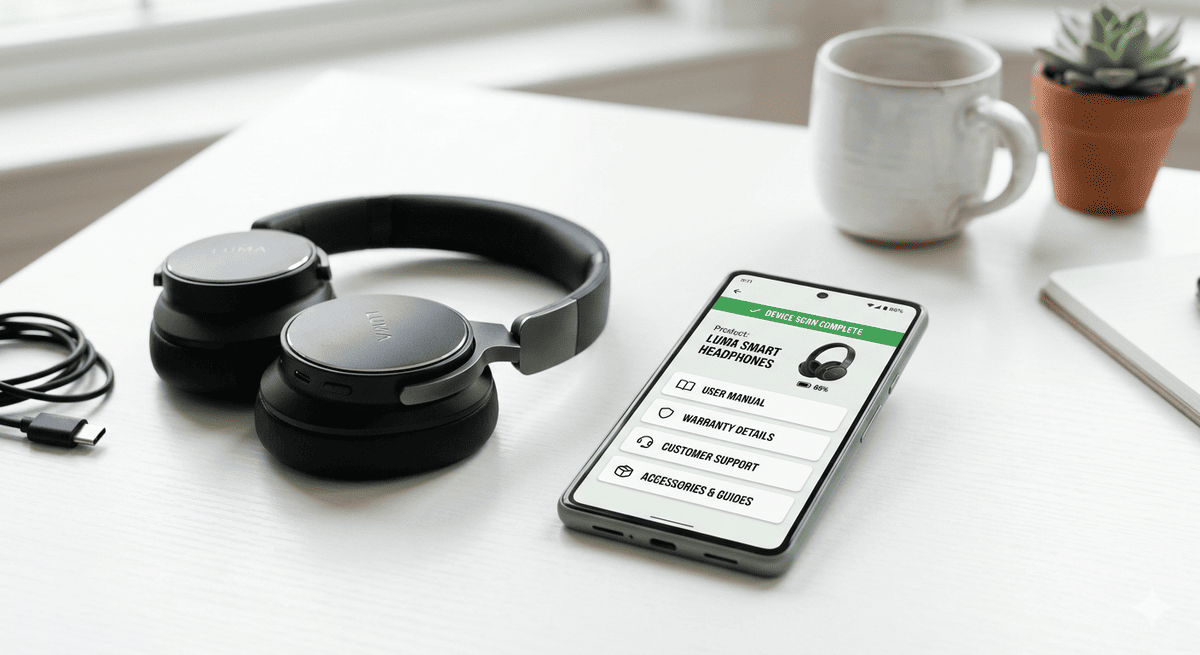
What to Put on Your Product Scan Pages
Most manufacturers treat the product scan page as an afterthought: a URL dumped on the back of a box, linking to a PDF manual uploaded years ago. A customer scans it once, bounces in seconds, and never comes back. The QR code has done its job, technically. It has done almost nothing commercially.
Here is the reality. When a customer scans a product, they are raising their hand. They are curious, engaged, and, critically, they are holding your product. That moment of intent is one of the highest-quality marketing touchpoints in your entire funnel. It costs nothing incremental to capture it. Most brands squander it.
This guide tells you exactly what to put on a product scan page, how to match content to the customer's lifecycle stage, and how to build the whole thing without starting from a blank page every time.
The 5 Essential Elements
Every product scan page, regardless of category or price point, needs five things. These are not optional extras. They are the foundation. Get these wrong and nothing else matters.
1. Welcome and Branding
The first screen a customer sees after scanning should confirm they are in the right place. That sounds obvious, but a surprising number of scan pages drop users into a generic support portal with no product name, no image, and no acknowledgement of what they just scanned.
The welcome element should include the product name and image, a short headline that sets expectations ("Everything you need for your Model X500"), and brand colours and logo. It takes very little time to configure and immediately reduces bounce. Customers who see their specific product reflected back at them are more likely to stay than those who land on a generic page.
2. Setup Guide
The setup guide is one of the most-scanned pieces of content on any product page, particularly in the first few days after purchase. If your customer is scanning, they probably need help with something right now, and a digital, step-by-step setup guide is far more useful than a paper insert.
Digital setup guides have a structural advantage over printed ones: they can be updated. The problem with printed setup guides is well documented. They contain errors, go out of date, and get discarded. A scan page guide can be corrected the moment you discover an issue, and every customer who scans from that point forward gets the fix automatically.
3. Warranty Registration
Warranty registration belongs on the scan page, not buried in an email three days later. The moment of unboxing is one of the highest-intent moments in the product lifecycle. The customer is engaged, the product is new, and they have a natural motivation to protect their purchase.
Keep the form short: name, email, date of purchase, and optionally proof of purchase upload. Completion rates tend to fall with every additional field beyond the essentials. A frictionless registration at scan-time can capture far more registrations than a paper card left in the box.
4. Support Access
Support should be one tap away, not three menus deep. The scan page is the natural entry point for product-specific help, and burying it wastes both your customer's time and your call centre budget.
At minimum, surface a product-specific FAQ, a contact option (chat, email, or phone), and a clear troubleshooting path. If you have a chatbot or AI assistant, this is the right context to surface it. The customer is already in a product-specific frame of mind, which can make AI answers more accurate than general-purpose support.
5. Spare Parts and Accessories
Every scan is a commercial opportunity, and parts and accessories are among the most natural upsells in post-purchase commerce. A customer maintaining a product, replacing a filter, ordering a new blade, or buying a compatible charger, is already in a transactional mindset.
Link to the exact parts that fit this specific product. If you have serial-level data, you can surface only the parts relevant to this product's variant and manufacture date. Generic accessories lists generate noise; specific parts lists generate revenue.
5 Optional Value-Drivers Worth Adding
Once the essentials are in place, these five additions can meaningfully improve engagement, loyalty, and commercial return.
Video Content
A short setup video can outperform a long written guide. Many customers find it easier to follow video instructions than text-only guides, and a good walkthrough can reduce support contacts during the setup phase. You do not need production-level footage. A clean, well-lit walkthrough recorded on a phone, properly edited and captioned, is sufficient. Record once; serve forever.
Community and Reviews
Linking to a community forum, user group, or review platform gives customers a place to go when their question is not covered by your official content. It also builds social proof in the post-purchase context, where reassurance matters. A customer who sees positive reviews after buying still feels validated, even though the purchase is already made.
Firmware and Software Updates
For products with connected features, such as smart home devices, power tools with digital components, or connected equipment, the scan page is the natural place to surface firmware update notifications. Keeping a product's software current can help it run as intended and reduce avoidable support issues.
Personalised Recommendations
Once a customer has registered, you know what they own. That data makes it possible to serve personalised accessory recommendations, compatible product suggestions, and targeted upgrade paths. "Customers who own the X500 also use the M20 filter pack" is more compelling than a generic accessories list, and it is easy to implement when serial-level ownership data is tied to the scan session.
Loyalty Integration
The scan page is an underused loyalty touchpoint. Connecting product scans to a points or rewards programme gives customers an ongoing reason to return, not just at setup, but throughout ownership. Each scan becomes a loyalty moment: warranty registration earns points, accessory purchases earn points, product feedback earns points.
Content by Lifecycle Stage
The content that matters on day one is not the same as the content that matters at year three. The best scan pages serve different needs at different points in the ownership journey.
| Lifecycle Stage | Content to Surface | Priority |
|---|---|---|
| Unboxing (Day 0–3) | Setup guide, warranty registration | Critical |
| Early ownership (Week 1–4) | FAQ, tips and tricks, accessory upsell | High |
| Active use (Month 1–12) | Support access, parts ordering, loyalty | High |
| Maintenance (Year 1–3) | Parts diagrams, service booking, firmware | Medium |
| Repair/troubleshoot (as needed) | Fault guides, authorised repairers, warranty claim | High |
| End of life (Year 3+) | Trade-in, recycling, upgrade path | Medium |
A capable scan-page platform lets you tie content visibility to lifecycle stage at the individual serial-number level, so a product scanned years after purchase can automatically surface trade-in and recycling content rather than setup instructions. Look for multi-page experiences, conditional logic, version control, and serialised per-product content when evaluating options.
Content Creation Tips
The most common objection to building out a scan page is content creation time. Here is how to eliminate most of that effort.
Repurpose the manual. Your printed manual contains nearly everything you need: setup steps, troubleshooting flows, parts lists, safety notices. Convert it to a structured digital format rather than uploading the PDF. Break it into sections, add headings, and link between pages. The raw content already exists. You are restructuring it, not creating it from scratch.
Record short setup videos. Assign one product manager or service engineer to record a walkthrough for each product line. A phone on a tripod, good lighting and a clean workspace are sufficient. Keep it short. Caption it. Upload it once and update as needed. Even a single setup video can pay back the time spent on it through support call deflection.
Create product-specific FAQs from support tickets. Pull your top support tickets for each SKU. These are your FAQ: the questions your customers are actually asking, phrased the way they ask them, answered clearly. This is more valuable than any FAQ a product manager writes in a vacuum, and it takes very little time to compile.
Keep the registration form short. Every additional field costs you completions. Test your form with a handful of fields before adding more. The data you collect from a completed short registration is often worth more than the data you could theoretically collect from a longer form that many customers abandon.
The Version Control Advantage
There is a structural reason why scan page content is worth investing in that has nothing to do with design or user experience: scan pages can be changed. Printed manuals cannot.
This is the core argument in the atoms vs bits distinction. Physical products are frozen at manufacture. The moulded plastic, the printed insert, the label on the unit are all fixed the moment they leave the factory. Digital content attached to those products via a scan page is far more flexible. An error in a setup guide costs little to fix. A support FAQ can be updated overnight. A parts list can reflect current stock in real time.
A buyer who scans your product page and finds it outdated within months of launch will form an impression of how you treat post-purchase customers. A buyer who finds a polished, current, serialised experience will draw different conclusions.
The version control advantage also matters internally. When a product manager updates a scan page, every product in the field, from units shipped years ago to units shipped last week, can instantly reflect the improvement. No reprint. No redistribution. No communication lag. Setup guides that never need reprinting are not a luxury; they are the correct engineering response to the problem of static physical content.
Planning Checklist
Before you build, work through this list. It surfaces gaps before they become problems.
Content audit
- Is there an existing manual, PDF, or printed guide to repurpose?
- Do you have video assets, or does someone need to record them?
- Have you pulled the top support tickets for this product?
- Do you have a parts/accessories list with current pricing?
Registration
- What fields are genuinely needed (vs. nice-to-have)?
- Where will registration data flow (CRM, email platform, warranty system)?
- Is the confirmation email configured?
Lifecycle mapping
- What content does a customer need at day one?
- What content matters at month twelve?
- Is there an end-of-life path (trade-in, recycling, upgrade)?
Maintenance
- Who owns each content module and will update it when products change?
- How will you know when a setup guide is out of date?
- Is version history tracked for compliance or regulatory purposes?
Content Strategy Framework
The easiest way to approach scan page content is to think about it in three layers.
Layer 1, Functional content (must have): Setup guide, warranty registration, support access, parts/accessories. This content reduces cost through support deflection and captures value through registration data and accessory revenue. It should exist for every product.
Layer 2, Engagement content (should have): Video, FAQ, tips and tricks, loyalty integration. This content extends the relationship beyond the transactional setup moment. It converts a one-time scan into an ongoing product relationship.
Layer 3, Lifecycle content (plan ahead): Maintenance reminders, firmware updates, trade-in paths, recycling guidance. This content is scheduled rather than reactive. Plan it at product launch, even if it only becomes visible years later.
The brands doing this well are not necessarily investing more in post-purchase content than their competitors. They are investing smarter: repurposing what already exists, structuring it around the customer's actual journey, and using the CTA on the product itself to drive the first scan.
A scan page is not a destination. It is an ongoing product experience that can improve every day the product is in the field. The question is not whether to build one. The question is how much you are currently leaving on the table by not having one.
Frequently Asked Questions
How long should a product scan page be?
There is no single right length. The right length is determined by how many lifecycle stages the product passes through and how complex the setup and maintenance journey is. A simple consumer product might need three or four content modules. A complex appliance or industrial device might need ten or more. The principle is to show customers the content they need at the moment they need it, not to maximise page length. Use conditional logic or lifecycle-stage routing to keep each scan session focused, rather than surfacing everything at once.
Should every product SKU have its own scan page?
Yes, and ideally every serial number should have its own identity within that page. At minimum, product variants with different setup processes, parts lists, or compliance requirements need separate page configurations. Serial-level personalisation, surfacing the exact firmware version, part compatibility, or warranty expiry relevant to one specific unit, is the next step up and can meaningfully improve both customer experience and commercial outcomes. Generic, SKU-level pages are acceptable as a starting point; serial-level pages are the goal.
How do you keep scan page content up to date?
Assign ownership. The most common reason scan page content goes stale is that nobody is accountable for updating it. Treat each content module, such as setup guide, FAQ, and parts list, as a living document with a named owner, a review schedule, and a flag for what triggers an update (product revision, firmware change, common support issue). The operational overhead is lower than it sounds: most content only needs updating when the product itself changes. The version control advantage of digital content means that when you do update, every unit in the field benefits immediately.
BrandedMark makes it straightforward to build and maintain lifecycle-matched product scan pages, from frictionless warranty registration at unboxing through to trade-in and recycling content at end of life. The no-code Experience Designer lets product and marketing teams build, update, and version-control scan page content without engineering support. See a live product experience to understand what your customers could be seeing the moment they scan.